Skip to content

LumaConfig CLI in Home Assistant

LumaConfig CLI can be used inside Home Assistant to perform batch actions on multiple Luma devices, such as exporting statistics, exporting configurations, and deploying firmware.

Requirements

  • Home Assistant with access to the /config folder
  • Python 3
  • Network access to the Luma devices
  • The Luma service key
  • Luma devices reachable by hostname or IP address

By default, the tool scans devices using hostnames such as:

lumaconfig-01.local
lumaconfig-02.local
...
lumaconfig-16.local

Installation

Copy the CLI script to the Home Assistant python_scripts folder:

/config/python_scripts/lumactl.py

Make the script executable if required:

chmod +x /config/python_scripts/lumactl.py

Create the required folders:

mkdir -p /config/python_scripts/export_stats
mkdir -p /config/python_scripts/export_config
mkdir -p /config/python_scripts/software

Firmware ZIP files can be placed in:

/config/python_scripts/software

Basic usage

Open the Home Assistant terminal or SSH add-on and run:

cd /config/python_scripts
python3 lumactl.py

If no mode is provided, the tool asks for the operation mode and service key interactively.

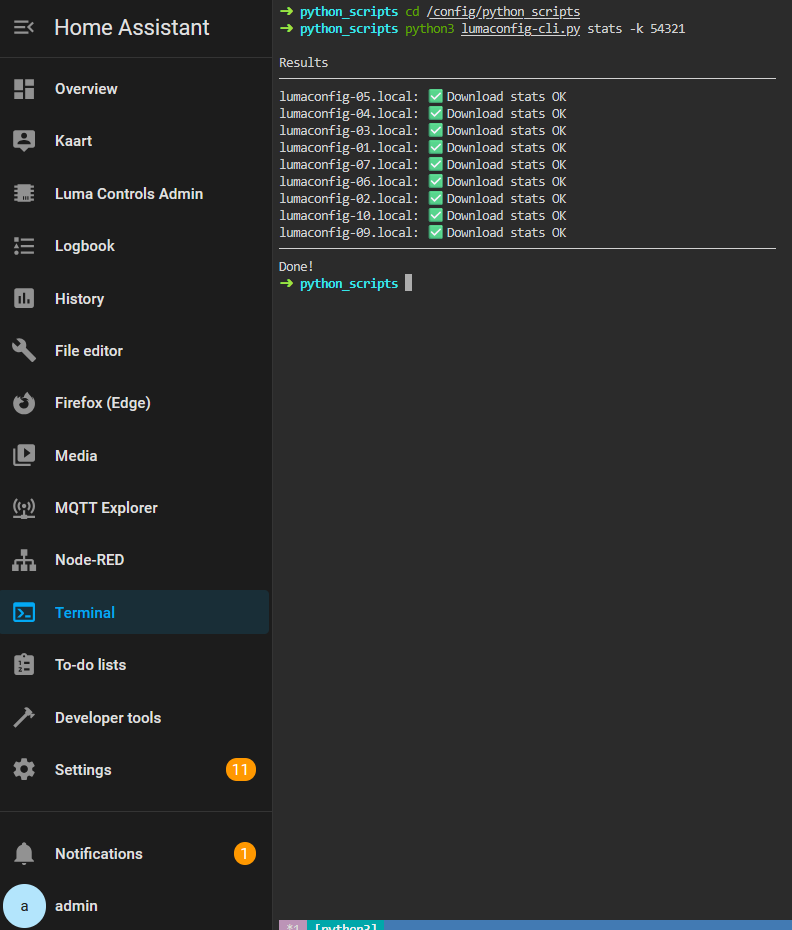
Export device statistics

python3 lumactl.py stats --service-key YOUR_SERVICE_KEY

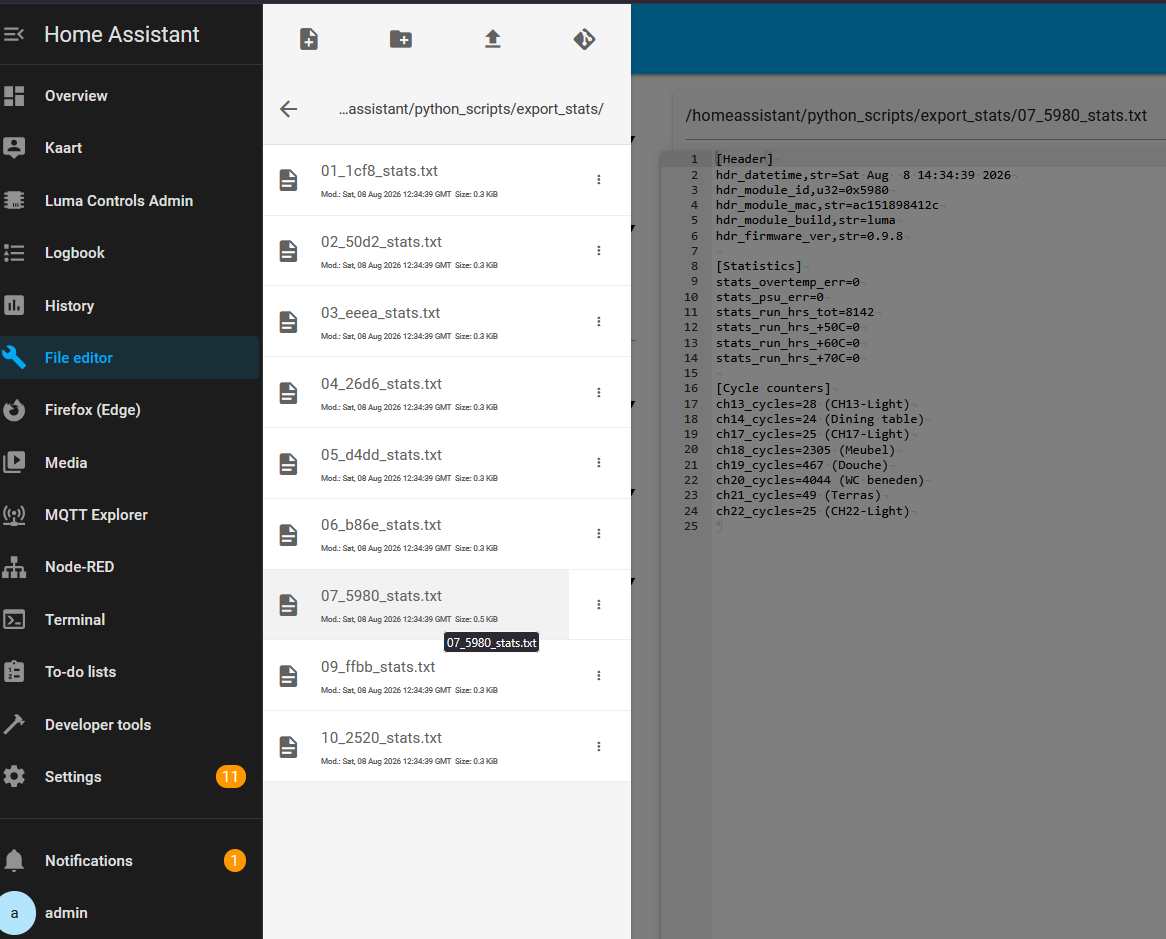
Statistics files are saved to:

/config/python_scripts/export_stats

Export device configuration

python3 lumactl.py config --service-key YOUR_SERVICE_KEY

Configuration files are saved to:

/config/python_scripts/export_config

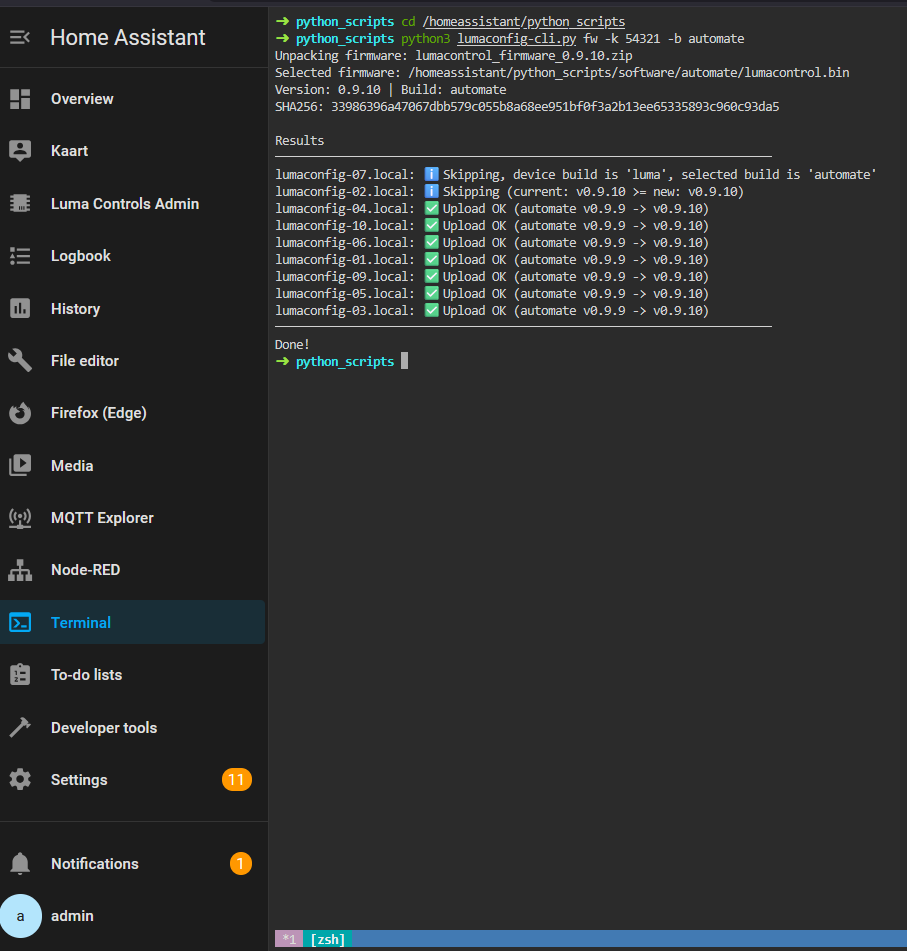
Deploy firmware

Place the firmware ZIP file in:

/config/python_scripts/software

Then run:

python3 lumactl.py fw --build luma --service-key YOUR_SERVICE_KEY

For the Automate build:

python3 lumactl.py fw --build automate --service-key YOUR_SERVICE_KEY

The tool automatically selects the newest firmware ZIP file, checks the manifest, verifies the firmware hash, and uploads the correct firmware build to compatible devices.

Select specific devices

Use explicit hostnames or IP addresses:

python3 lumactl.py stats --service-key YOUR_SERVICE_KEY --devices 192.168.1.50 192.168.1.51

Or generate a hostname range:

python3 lumactl.py stats --service-key YOUR_SERVICE_KEY --range 1 8

This scans:

lumaconfig-01.local
...
lumaconfig-08.local

Parallel workers

By default, the tool uses 8 parallel workers. This can be changed with:

python3 lumactl.py stats --service-key YOUR_SERVICE_KEY --threads 4

Use fewer threads on slower networks or when updating many devices at once.

Debug output

To show connection errors and additional HTTP details:

python3 lumactl.py stats --service-key YOUR_SERVICE_KEY --debug

Firmware version checks

By default, firmware is only uploaded when the selected firmware is newer than the version already installed on the device.

To force upload even when the version is the same or older:

python3 lumactl.py fw --build luma --service-key YOUR_SERVICE_KEY --skip-version-check

Use this option carefully.

/config/python_scripts/
├── lumactl.py
├── export_stats/
├── export_config/
└── software/
    └── lumacontrol_1.2.3.zip

Example workflow

cd /config/python_scripts

# Export statistics from all devices
python3 lumactl.py stats --service-key YOUR_SERVICE_KEY

# Export configurations
python3 lumactl.py config --service-key YOUR_SERVICE_KEY

# Deploy latest Luma firmware
python3 lumactl.py fw --build luma --service-key YOUR_SERVICE_KEY